

Know Your Customer (KYC)
The Know Your Customer (KYC) module enables businesses to verify individual identities across global and regional jurisdictions in real time. Rather than relying on a static, single-source check, Prembly connects directly to authoritative government registries, electoral databases, tax authorities, and biometric infrastructure to confirm identity authenticity, detect synthetic fraud, and ensure regulatory compliance.
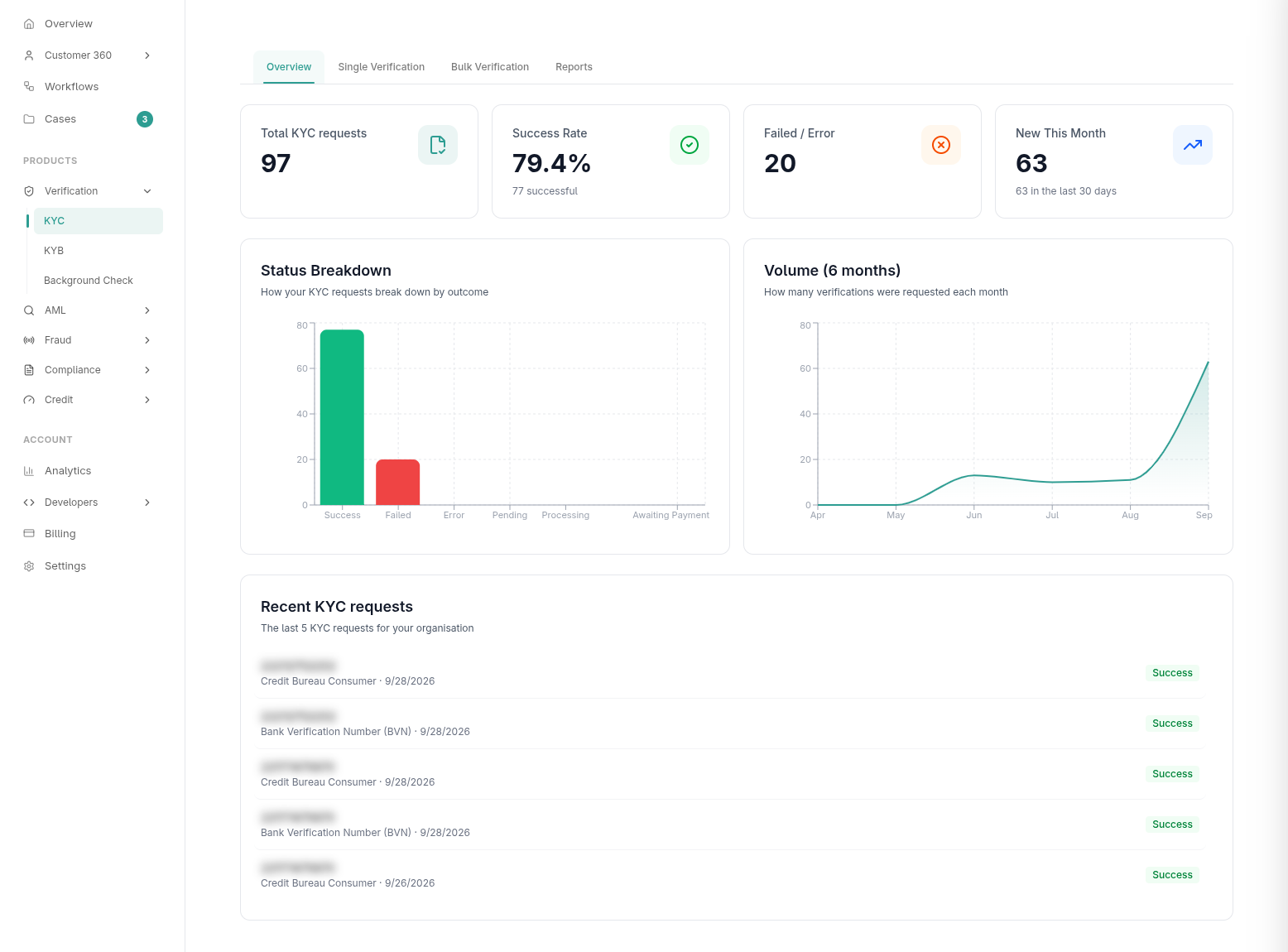
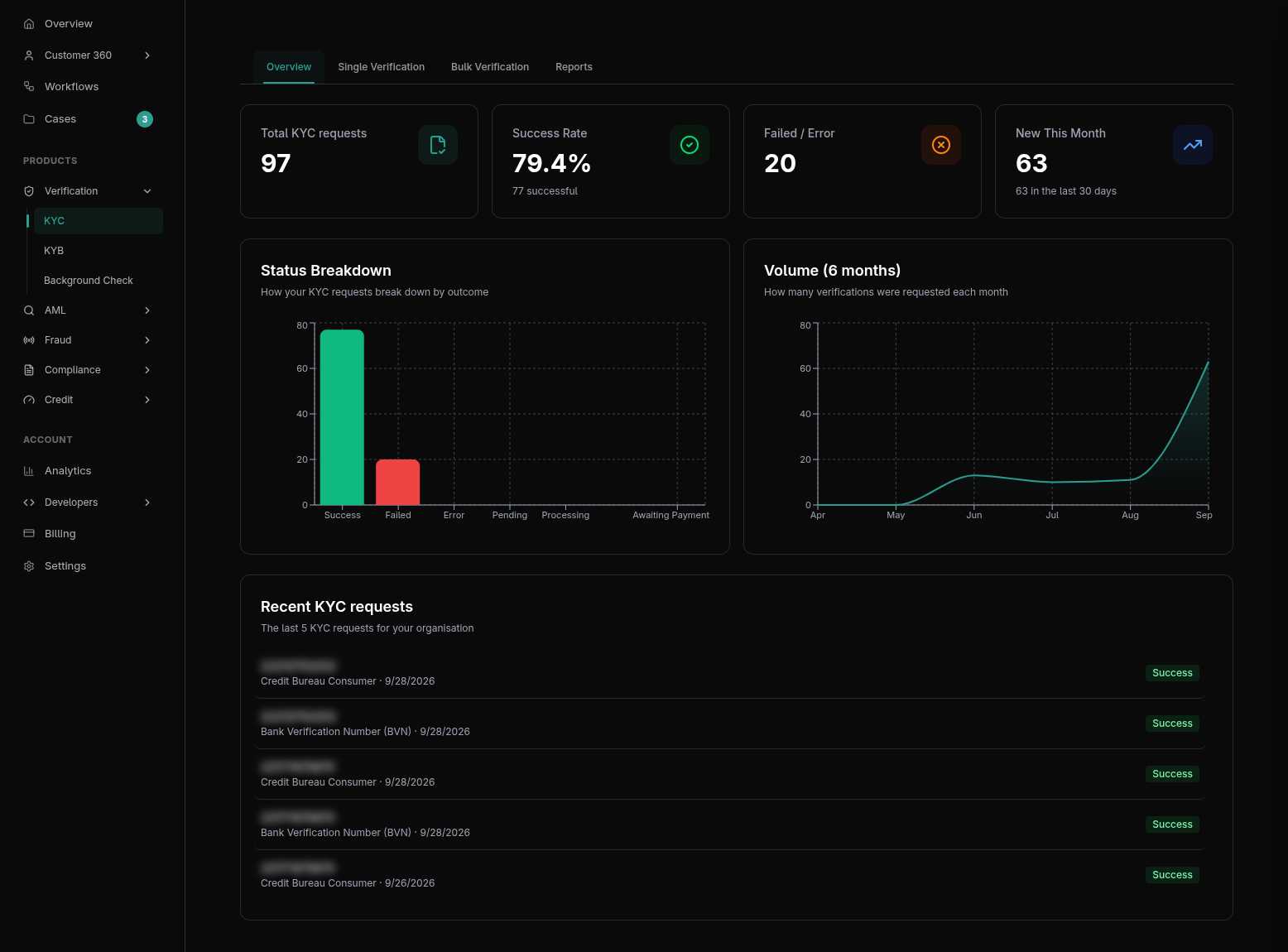
1. Supported Document & Identity Services
Prembly's identity infrastructure supports over 70+ specialized KYC verification channels across 9 regional jurisdictions and global identity databases. Identity verification spans three primary verification pillars:
- Government Registry Lookups: Direct query against official national databases to cross-reference identity numbers and retrieve authoritative demographic data (e.g., full legal name, date of birth, registered photo, address, phone number).
- Document Extraction & Authenticity (OCR): Optical character recognition and Machine Readable Zone (MRZ) parsing for physical identity documents, including passports, residence permits, and driver's licenses.
- Biometric Verification & Liveness: 3D passive and active liveness detection paired with 1:1 facial matching comparing a live selfie against the identity document or registry photo.
Regional & Global Coverage Overview
Prembly provides native registry connections across key markets:
- Nigeria (NG): National Identity Number (NIN, vNIN), Bank Verification Number (BVN), Driver's License (FRSC), Voter's Card (INEC), International Passport, and SIM/Phone validation.
- Kenya (KE): National ID, Alien ID, KRA PIN (tax authority), and NTSA Driver's License verification.
- Ghana (GH): Ghana Card (NIA), Voter's Card, and Driver's License.
- Ivory Coast (CI): National Identity Card (CNI - Carte Nationale d'Identité) and Resident Card verification.
- Tanzania, Uganda, Rwanda & Sierra Leone: NIDA identity numbers, driving permits, and national voter registers.
- Turkey (TR): Kimlik (Turkish National Identity Card) verification.
- Global (GL): Universal document verification covering passports, driver's licenses, and national IDs across 190+ countries with automated MRZ parsing and anti-tamper analysis.
Explore the Full Channel Catalog
For endpoint paths, required payload fields, parameter data types, and validation regex rules for every supported identity type, visit the Verification Services Directory.
2. Initiating a KYC Verification
Whether initiating an identity check manually in the Prembly Dashboard or programmatically via the API, the system utilizes the exact same verification channels and parameter schemas defined in the Verification Services Directory.
Option A: In-App Dashboard Verification
When an operator verifies an individual through the Prembly web app:
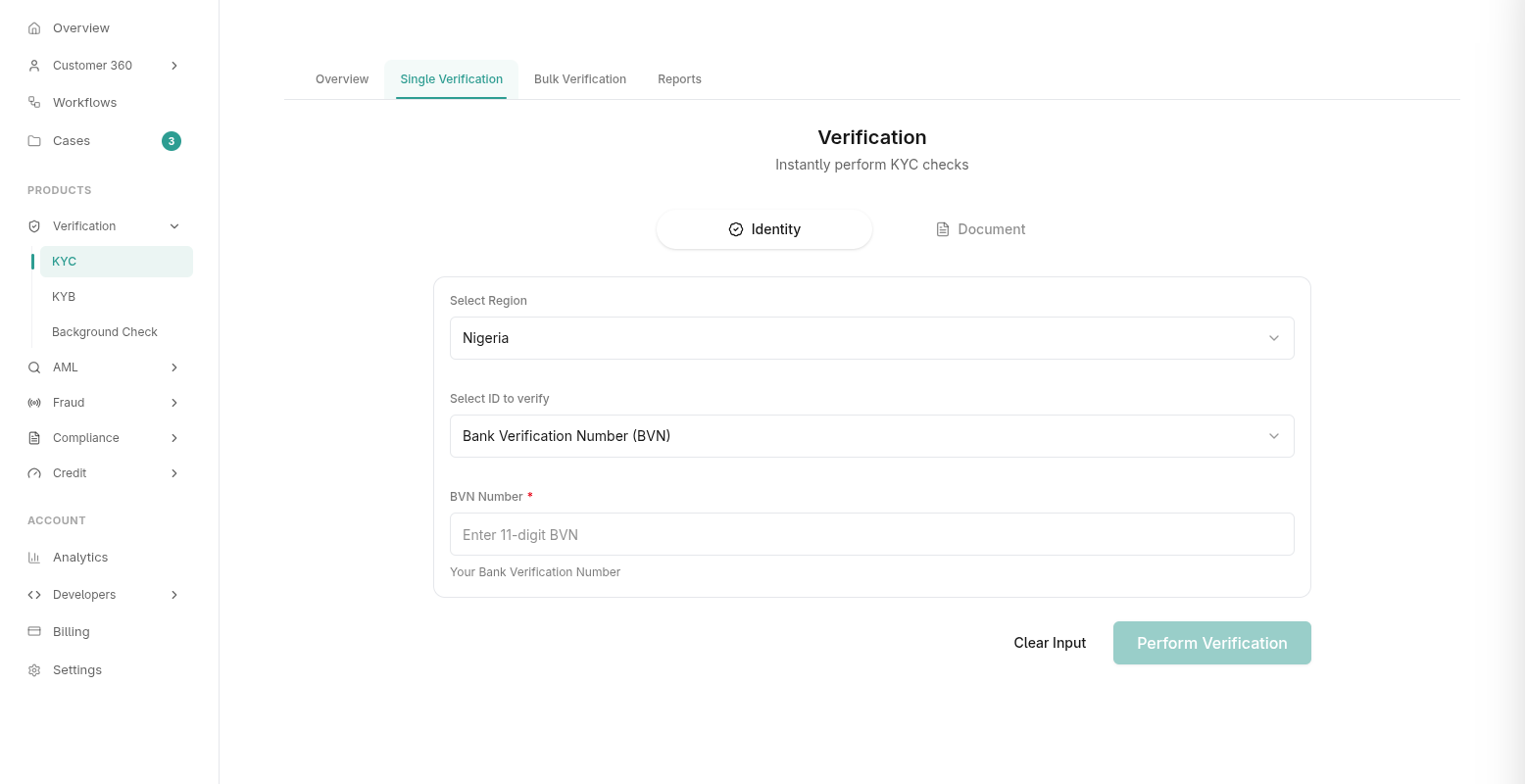
- Navigate to Products > Verification > KYC in the sidebar.
- Click the New Verification button in the top right corner.
- Select the Country and the target Verification Service (e.g., Ghana Card, Kenya National ID, or Nigeria BVN).
- The form dynamically renders the required input fields based on the chosen channel's schema (e.g., ID number, card type, document front/back uploads, or date of birth).
- Click Submit to dispatch the check to the authoritative registry.
Option B: Verification Services REST API
For backend integrations, make a direct POST request to the corresponding channel endpoint listed in the Verification Services Directory.
POST https://api.prembly.com/api/v1/verification/api/{service_name}/
X-API-Key: <your_api_key>
Content-Type: application/json

{
  "id_number": "12345678901",
  "first_name": "Jane",
  "last_name": "Doe"
}
Example Endpoints:
- Nigeria BVN:
/api/v1/verification/api/bvn/ - Ivory Coast CNI:
/api/v1/verification/api/civ_national_id/ - Kenya National ID:
/api/v1/verification/api/ke_national_id/ - Global Document Verification:
/api/v1/verification/api/document_verification/
Option C: Client SDKs (Web & Mobile)
For customer-facing onboarding flows, embed Prembly's client SDKs to automatically capture documents, guide camera positioning, and perform real-time liveness checks directly in your frontend application:
Option D: Automated KYC Workflows
To orchestrate multi-step onboarding journeys (such as executing an ID lookup followed by a liveness check and sanctions screening), build no-code or API-triggered pipelines using Workflows. Workflows support conditional branching, automated retries, and fallback channels.
3. Biometrics & Document Authenticity
Prembly combines authoritative database records with optical and biometric verification:
- 3D Passive & Active Liveness: Evaluates facial micro-movements, depth, and illumination reflections to prevent presentation attacks (printed photos, video playbacks, and 3D silicone masks).
- 1:1 Facial Comparison: Matches a live user selfie against the portrait returned from the government registry or the extracted photo on the identity card, returning an algorithmic confidence match percentage.
- Document OCR & MRZ Analysis: Reads Machine Readable Zones (MRZ TD1, TD2, TD3), validates checksum digits, extracts visual inspection zone (VIZ) text, and detects document alteration or tampering.
4. Verification Results & Resilience
Every verification returns a deterministic status code and result breakdown.
Response Status Codes
| Status Code | Label | Description | Recommended Handling |
|---|---|---|---|
00 | Success | Record matched and retrieved from authoritative registry. | Proceed with onboarding or workflow progression. |
01 | Not Found | The provided ID number does not exist in the national registry. | Prompt user to verify input or provide an alternate document. |
02 | Service Unavailable | Upstream government agency or registry is temporarily down. | Retry with exponential backoff or route to a secondary verification fallback channel. |
Verification Decision States
VERIFIED: All supplied data points, document checksums, and biometric checks pass validation thresholds.FAILED: The document is expired, fraudulent, or fundamentally mismatches the government registry.ATTENTION_REQUIRED: Occurs when OCR confidence is borderline, a minor name spelling variation is detected, or biometric similarity falls slightly below the auto-approve threshold. An operator must review the record before final approval.
5. Ecosystem Integration & Compliance Management
Verification results automatically integrate into Prembly's broader compliance tools:
- Customer 360: Completed KYC verifications automatically link to the user's unified profile, aggregating registry demographic records, historical verifications, and document vault uploads.
- Case Management: Verifications flagged with
ATTENTION_REQUIREDor high-risk fraud anomalies automatically generate an investigation case for compliance teams to review evidence, request additional documents, or record manual overrides. - Webhooks: Subscribe to
verification.completedwebhook events to receive asynchronous results and verification payloads directly on your server. - Compliance Audit Exports: Generate tamper-evident PDF verification reports or export filtered verification datasets as XLSX/CSV for regulatory filings.